




Seedance vs Kling vs CogVideo: Which AI Video Model Should You Pay For in 2026?
Seedance 2.5 takes more references and Kling 4.0 adds 4K and keyframes. CogVideo runs Seedance and Kling v3 on one credit balance, so you can try both on your own photo.
 By CogVideo Editorial TeamUpdated 2026-11-02
ByteDance's video model, now Seedance 2.5. Up to 30 seconds in one pass, with the largest reference set here.
Best for Directing from many references
Kuaishou's video model, now Kling 4.0, with Kling 3.0 still in use. Native 4K, keyframes and subscription plans.
Best for Native 4K and keyframes
Seedance 2.5, Seedance 2.0, Kling v3 and CogVideo models in one place. Pay by the clip.
Best for Trying Seedance and Kling from one account
Visit CogVideoSeedance vs Kling comes down to references against output: Seedance 2.5 takes far more source material in one clip, up to 50 assets, while Kling 4.0 adds keyframes, stereo sound and 4K, and both now reach 30 seconds. For most buyers the easiest way to try them is CogVideo, because Seedance 2.5, Seedance 2.0 and Kling v3 all run there on one credit balance, with no subscription and no API key.
We compared the models on what you actually pay for: clip length, resolution, references, motion control, free access, price, the APIs, and where you can use them. Seedance facts come from ByteDance Seed and BytePlus, Kling facts come from Kling's own pages unless a line says otherwise, and CogVideo numbers come from our live model catalog, all read on 2026-11-02. Seedance, Dreamina, and Kling are trademarks of their owners; this is an independent comparison.
Seedance
ByteDance's reference-led video model
- Latest model
- Seedance 2.5
- Longest clip
- 30s in one pass
- References
- Up to 50 per clip
- API
- BytePlus ModelArk
Strong at
- The most references in one clip
- Timestamp-level editing and clip extension
Small catch
- BytePlus is not available in the United States
Kling
Kuaishou's 4K model with keyframes
- Latest model
- Kling 4.0
- Longest clip
- 30s (3.0: 15s)
- Resolution
- Up to 4K
- Paid plans
- From $6.99 first month
Strong at
- Native 4K output
- Up to 10 keyframes on Kling 4.0
Small catch
- The Basic plan comes with no monthly credits
Seedance and Kling from one account
- Seedance 2.5
- From 345 credits
- Kling v3
- From 378 credits
- Longest clip
- Up to 30s
- Packs
- From $24.90, one time
Strong at
- Seedance and Kling without two accounts
- One-time packs with no renewal
- Runs in any browser, no API key
Small catch
- Kling 4.0 is not on CogVideo today
| Latest model | Seedance 2.5 | Kling 4.0 | Seedance 2.5 and Kling v3 (the Kling 3.0 generation) |
|---|---|---|---|
| Longest single clip | 30s (2.0: 15s) | 30s (3.0: 15s) | 30s on Seedance 2.5, 10s on Kling v3 |
| Top resolution | 1080p on 2.5, 4K on 2.0 | BestNative 4K | 720p on Seedance 2.5, 4K mode on Kling v3 |
| References in one clip | BestUp to 50 | Up to 15 on 4.0 | Start image, plus an end frame on Seedance 2.5 |
| Native audio | Yes, generated with the video | Yes, stereo on 4.0 | Yes, on Seedance and Kling v3 |
| How you pay | Per second on the BytePlus API | Monthly plans from $6.99 first month | BestBy the clip, one-time packs from $24.90 |
| Where you use it | Jimeng, Doubao Pro, BytePlus ModelArk | Kling app and web, developer platform | BestAny browser, no API key |
Want to make your own? Try Image to Video, Text to Video or Pricing.
Seedance 2.5 vs Kling 4.0
Seedance 2.5 and Kling 4.0 both generate up to 30 seconds in a single pass, so length no longer separates them; references, keyframes and output do. Seedance 2.5 accepts up to 30 images, 10 video clips and 10 audio clips, which BytePlus describes as up to 50 references for one clip. Kling 4.0 accepts up to 15 combined assets, including up to 10 images and up to 5 videos.
Kling 4.0 answers with timing control and output. It takes up to 10 keyframes, outputs 4K and 21:9 ultrawide, and generates two-channel stereo, with 10-bit HDR listed as coming soon. BytePlus's pricing page lists Seedance 2.5 at 480p, 720p and 1080p, with no 4K tier, and ByteDance says complex motion and scenes with several interacting subjects still have room to improve.
Kling 4.0 is the newer of the two. Kling launched the full model on October 15, 2026, while Seedance 2.5 launched on July 31. Kling 4.0 isn't on CogVideo today, so for its keyframes you'd go to Kling directly; Seedance 2.5 runs on CogVideo up to 30 seconds, and Kling v3 sits on the same balance.
Seedance 2.5: up to 30 images, 10 videos and 10 audio clips. Kling 4.0: up to 15 combined assets. On CogVideo, Seedance 2.5 takes a start image and an optional end frame.
Seedance
Strengths
- Up to 50 references for one clip
- 30 seconds in one pass, extendable over more rounds
Watch-outs
- BytePlus lists no 4K tier for 2.5
Kling
Strengths
- Up to 10 keyframes
- 4K, 21:9 and two-channel stereo
Watch-outs
- 10-bit HDR is listed as coming soon
CogVideo
Strengths
- Seedance 2.5 by the clip, no API setup
- Kling v3 on the same balance
Watch-outs
- Kling 4.0 is not on CogVideo today
Seedance 2.0 vs Kling 3.0
Seedance 2.0 and Kling 3.0 both make clips of up to 15 seconds with sound generated alongside the picture, and they differ in how you direct them. Seedance 2.0 is built around multimodal input: text, images, audio and video can all guide performance, lighting and camera movement. Kling 3.0 is built around shots, with Multi-Shot planning transitions for you and Custom Multi-Shot letting you set each shot's length.
Kling 3.0 is strong on dialogue. Its guide lists Chinese, English, Japanese, Korean and Spanish, and it handles three or more speakers when you name each character next to their lines. Seedance 2.0 covers more resolutions on the API, from 480p up to 4K at $0.78 a second, against Kling's 4K mode at 30 credits a second on a Kling plan.
On CogVideo you can put them on the same photo. Seedance 2.0 starts at 330 credits a clip and lets you pick the length up to 15 seconds, while Kling v3 starts at 378 credits for 5 seconds with sound, with 10 seconds and higher quality modes available on its page.
Seedance
Strengths
- Text, image, audio and video references
- 4K on the BytePlus API
Watch-outs
- Fast and Mini tiers stop at 720p
Kling
Strengths
- Multi-Shot and Custom Multi-Shot
- Dialogue in five languages
Watch-outs
- Single-channel audio, per Kling
CogVideo
Strengths
- Seedance 2.0 and Kling v3 on one balance
- Exact cost shown before you generate
Watch-outs
- Kling v3 lives on its own page instead of the main model picker
Seedance 2.5 vs Kling 3.0: clip length and resolution
Seedance 2.5 makes clips twice as long as Kling 3.0, at 30 seconds against 15, while Kling 3.0 reaches a higher resolution. ByteDance says Seedance 2.5 extended single-pass generation from 15 to 30 seconds, and you can extend further over multiple rounds while keeping characters and scenes consistent.
Kling 3.0 runs from 3 to 15 seconds, and Kling's credit guide lists a native 4K mode for the 3.0 series on top of 720p and 1080p. Seedance 2.5 tops out at 1080p on BytePlus, so if your finished file has to be 4K, Kling has the edge in this pair.
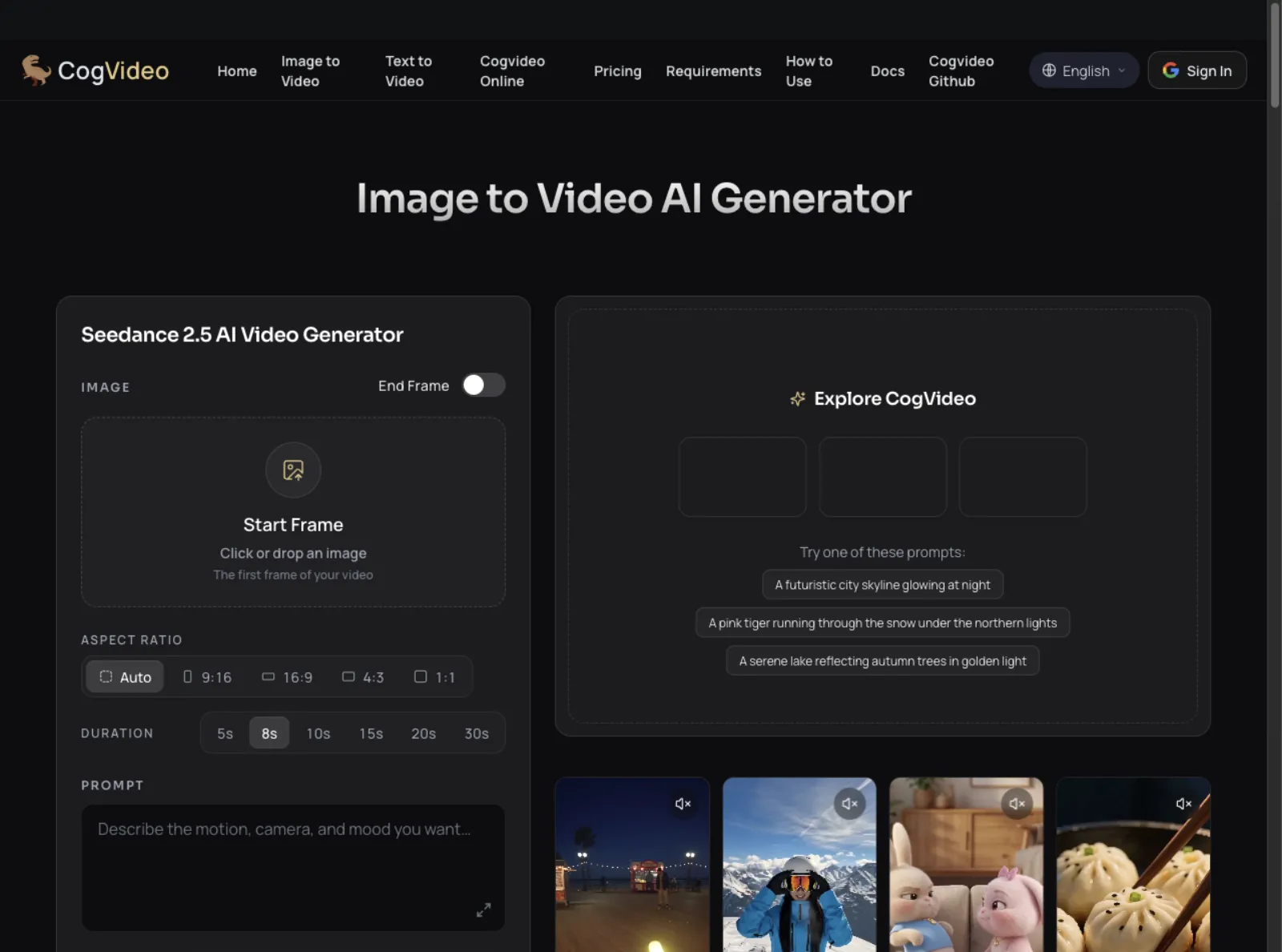
The versions on CogVideo follow the same split with their own limits. Seedance 2.5 here runs at 720p, for any whole number of seconds from 5 to 30, and Kling v3 runs 5 or 10 seconds in Standard, Pro or 4K mode. Pick the long take on Seedance and the sharper short clip on Kling.
Seedance 2.5 reaches 30 seconds in one pass and Kling 3.0 reaches 15. On CogVideo, Seedance 2.5 renders up to 30 seconds in one generation.
Seedance
Strengths
- 30 seconds in one pass
- Multi-round extension keeps characters consistent
Watch-outs
- Tops out at 1080p on BytePlus
Kling
Strengths
- Native 4K mode on the 3.0 series
- Flexible length from 3 to 15 seconds
Watch-outs
- Half the single-clip length of Seedance 2.5
CogVideo
Strengths
- Seedance 2.5 up to 30 seconds
- Kling v3 in Standard, Pro or 4K mode
Watch-outs
- A 30 second clip takes longer to render than a short one
Kling 3.0 vs Kling 3.0 Omni
Kling 3.0 Omni is the reference-driven version of Kling 3.0, and plain Kling 3.0 is the prompt-led one. Both run up to 15 seconds with native audio and multi-shot, so the choice depends on whether you need to bring in your own characters, or whether a prompt and a start frame are enough.
Omni is built to keep subjects consistent. With no video input it takes up to 7 images or elements, and with a video it takes up to 4. A character video of 3 to 8 seconds captures both appearance and voice, and Kling's AI Director can place up to six camera cuts in one generation.
Seedance covers similar ground from the other direction, with audio and video references that let you assign each asset a job. On CogVideo, Kling v3 keeps things simple with a start image and sound, which is usually enough when you're animating one photo.
Seedance
Strengths
- Audio and video references on 2.0 and 2.5
Watch-outs
- ByteDance lists multi-subject scenes as still improving
Kling
Strengths
- Omni binds a character and a voice
- Up to six camera cuts in one generation
Watch-outs
- Reference limits drop from 7 to 4 once you add a video
CogVideo
Strengths
- Start image and sound on Kling v3
- No element setup before your first clip
Watch-outs
- Omni reference workflows are not part of Kling v3 here
Kling 3.0 motion control vs Seedance references
Kling 3.0 Motion Control transfers movement from a reference video onto your character, and Seedance gets to a similar place through motion references inside a normal generation. Kling's guide says the 3.0 upgrade keeps faces stable and expressions smooth during long, multi-angle movement.
Kling's API page allows reference videos from 3 seconds up to 30 seconds when the output follows the character orientation in the video, or up to 10 seconds when it follows the image. The guide prices Motion Control 3.0 at 9 credits a second in Standard and 12 in Professional.
Seedance 2.5 treats motion as one reference type among several, alongside clay renders and creative references, so you can block a shot and then describe the look. If you just want a photo to move the way you describe, CogVideo gets there with a start image and a prompt on either model.
Seedance
Strengths
- Motion, clay render and creative references
- Green screen and camera perspective editing
Watch-outs
- Reference workflows take more setup than a single prompt
Kling
Strengths
- A dedicated Motion Control mode
- Better facial consistency in 3.0
Watch-outs
- Works best from a clean take with the character in frame
CogVideo
Strengths
- Describe the motion in a prompt, no reference video needed
Watch-outs
- Motion is directed by prompt, not by a reference video
Is Kling 3.0 free? Trials and free options
Best here: CogVideoKling 3.0 is not free for regular use: Kling's Basic plan costs $0 but comes with no monthly credits, and content made on it is not for commercial use. Kling's credit policy also keeps 1080p and watermark removal for paying members.
The cheapest way in is the first month of Standard at $6.99, which then renews at $8.80 for 660 credits a month. Kling lists that as 33 videos at 720p. Those discounted prices apply to the first subscription only, so check the renewal price before you sign up.
If you don't want a monthly plan at all, CogVideo sells one-time packs. $24.90 buys 2,000 credits with no renewal, enough for 5 clips of Seedance 2.5 at 5 seconds, and you can spend them on Kling v3 instead whenever you like.
Seedance
Strengths
- Mini is the cheapest API tier, from $0.04 a second at 480p
Watch-outs
- The BytePlus route is an API, not a free consumer trial
Kling
Strengths
- A $0 Basic plan to look around
- A discounted first month on paid plans
Watch-outs
- No monthly credits on Basic
- Basic content is not for commercial use
CogVideo
Strengths
- One-time packs with no renewal
- One balance across every model
Watch-outs
- Every clip spends credits, so you top up when the balance runs low
Seedance 2.5 cost vs Kling 3.0 pricing
Kling 3.0 is easier to price than Seedance 2.5, and going by the video counts Kling lists, a Kling plan looks like the cheapest route per 720p video here if you'll use it every month. Kling's plans run from Standard at $8.80 a month for 660 credits to Ultra at $159.99 for 26,000, after discounted first months, and 4K costs 30 credits a second, so a 15 second 4K clip is 450 credits.
Seedance 2.5 is sold by the second on BytePlus, at an estimated $0.103 at 480p, $0.231 at 720p and $0.569 at 1080p. That makes a 5 second 720p clip about $1.16 before any video input, and BytePlus warns that actual charges depend on tokens consumed. Seedance 2.0 is cheaper, at $0.15 a second for 720p.
CogVideo prices each clip in credits and shows you the cost before you generate. Seedance 2.5 starts at 345 credits for 5 seconds and 552 for the default 8 seconds, Seedance 2.0 at 330, and Kling v3 at 378 for 5 seconds with sound. Packs start at $24.90 for 2,000 credits, and plans start at $19.90 a month for 1,800 credits.
Seedance
Strengths
- Per-second API pricing with no monthly plan
- Seedance 2.0 Mini and Fast tiers for drafts
Watch-outs
- Costs are token-based estimates
- BytePlus is not available in the United States
Kling
Strengths
- Low cost per listed 720p video if you subscribe
- Published credit cost for 4K
Watch-outs
- First-month prices rise at renewal
CogVideo
Strengths
- Seedance and Kling on one balance
- Packs from $24.90 with no renewal
- Exact cost shown before each clip
Watch-outs
- Credits from a pack expire after one year
Seedance 2.5 API vs Kling 3.0 API
The Seedance 2.5 API is sold through BytePlus ModelArk, and the Kling 3.0 API is sold through Kling's developer platform and third-party hosts. BytePlus says Dreamina Seedance 2.5 is available in supported markets globally, and it notes that BytePlus itself is not available in the United States.
Kling 3.0 API prices vary by host, tier and audio. Published third-party rates run from about $0.08 a second for Standard without audio at one host to about $0.44 a second for 4K at another, so compare before you commit. We couldn't find a published Kling 4.0 API price on the Kling pages we read.
If you don't plan to write code, the API question goes away. CogVideo runs Seedance 2.5, Seedance 2.0 and Kling v3 in a browser, with no API key and no polling for results, and every finished clip is saved to your account. It's an easy way to test the look of each model before you build anything.
Seedance
Strengths
- A first-party API through BytePlus
- Published per-second estimates by resolution
Watch-outs
- BytePlus is not available in the United States
Kling
Strengths
- A developer platform plus several third-party hosts
- Motion Control available through the API
Watch-outs
- Prices differ widely between hosts
CogVideo
Strengths
- No code, no API key, no polling
- Test both looks before you build
Watch-outs
- Built for people who create in the browser
Where to use Seedance 2.5: Dreamina, BytePlus or CogVideo
Best here: CogVideoYou can use Seedance 2.5 through Jimeng AI and Doubao Pro, through BytePlus ModelArk as an API, or in a browser on CogVideo. ByteDance launched it on Jimeng and Doubao Pro first, and API access through ModelArk followed.
BytePlus sells the model as Dreamina Seedance 2.5, so a search for that name and a search for Seedance 2.5 are looking for the same model. BytePlus is an enterprise route, though, and it's closed to users in the United States.
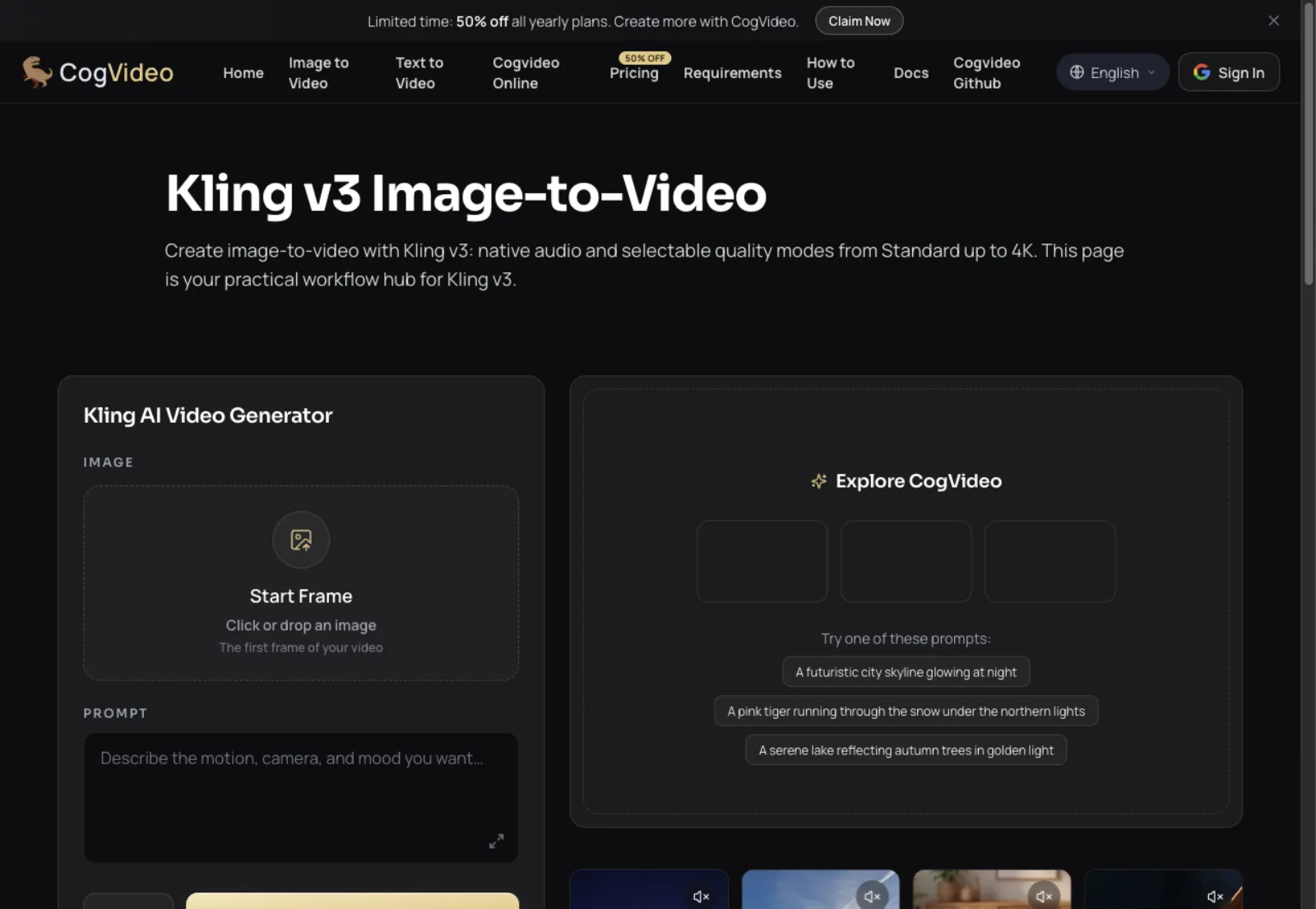
CogVideo is the simple route if you're a creator instead of a developer. Sign in, upload a start image, pick a length up to 30 seconds, and your clip lands in My Creations. Kling v3 has its own page, and 7 other models share the same balance.
Seedance
Strengths
- Jimeng AI and Doubao Pro for consumers
- BytePlus ModelArk for developers
Watch-outs
- BytePlus is not available in the United States
Kling
Strengths
- Kling app and web in one place
- Also listed by multi-model platforms
Watch-outs
- Only Kling models in its own app
CogVideo
Strengths
- Any browser on desktop or phone, no GPU
- Every clip saved to My Creations
Watch-outs
- Runs online only, there is no offline desktop app
Kling 3.0 prompt guide vs Seedance prompts
Kling 3.0 prompts work best written like a script, and Seedance prompts work best when you give every reference a job. Kling's guide says to name each character next to their dialogue, tag the accent for each line, and write "Shot 1" and "Shot 2" when you use Custom Multi-Shot. Its examples use timestamps such as "At the 8th second" to pace longer clips.
ByteDance's Seedance 2.5 examples break clips into timed blocks, map each input to a specific element, and spell out what must stay fixed when editing, for example keeping characters and style unchanged while adjusting only the camera. For a long take, they ask for a single continuous shot with no cuts.
For Kling 4.0, Kling suggests the order Subject, Action, Setting, Camera, Lighting, Pacing, Sound. That order works well as a starting point on any model. On CogVideo you can paste the same prompt into Seedance 2.5 and Kling v3 and see for yourself which one reads it better.
Seedance
Strengths
- Timed blocks give you tight pacing
- Clear wording for edits that keep the rest fixed
Watch-outs
- Long, multi-reference prompts take time to write
Kling
Strengths
- Script-style prompts for dialogue
- Up to 8,000 tokens per prompt on Kling 4.0
Watch-outs
- Dialogue in unsupported languages is translated to English
CogVideo
Strengths
- Same prompt, two model pages, one balance
- Your clips stay together in My Creations
Watch-outs
- Each model reads prompts a little differently, so a retake can help
The best Kling alternative
The best Kling alternative for most people is CogVideo, because you keep Kling v3 and add Seedance 2.5, Seedance 2.0, Veo 3.1 Fast and Grok Imagine on the same account. Most people searching for an alternative want something Kling alone can't give them, such as other models on one balance or no monthly plan.
CogVideo covers both. Run the same photo on Seedance 2.5 for up to 30 seconds, or on CogVideo v3, which starts at 200 credits, fewer than Kling v3 on CogVideo. A one-time pack from $24.90 pays for any of them, with no subscription needed.
There are still jobs where going direct makes sense, and we've named them below. For everyone else, the simplest route runs through CogVideo.
You need a finished 4K file with keyframed timing.
Kling Kling 4.0 has the 4K output and up to 10 keyframes, directly in Kling.
You are a developer outside the United States building on dozens of references.
Seedance Seedance 2.5 on BytePlus takes up to 50 references per clip through its API.
You want to try both before you commit to a plan.
CogVideo runs Seedance 2.5 and Kling v3 from one balance, with packs that never renew.
You want a long take from a single photo.
CogVideo renders Seedance 2.5 up to 30 seconds in one generation, in your browser.
You are in the United States and BytePlus is closed to you.
CogVideo gives you Seedance 2.5 with no API account.
How We Compared Seedance and Kling
We read ByteDance Seed's Seedance 2.5 launch post and Seedance 2.0 page, BytePlus's launch post and pricing page, and Kling's 4.0 posts, 3.0 and Omni guides, credit cost guide, Motion Control guide and API page on 2026-11-02, and we used only what those pages state. Kling's API price page would not load for us, so Kling 3.0 API prices come from two third-party hosts and are stated as a range.
CogVideo numbers come from our live model catalog and pricing, checked the same day. Credit costs follow the model and settings you choose, and the generator always shows the exact cost before you click Generate. Putting CogVideo first in the recommendations is our editorial position; we name the jobs where Seedance or Kling directly is the better choice.
Seedance vs Kling FAQ
What is the main difference between Seedance and Kling?
Seedance is built around references, with up to 50 assets per clip on Seedance 2.5, and Kling is built around shot control and output, with up to 10 keyframes and 4K on Kling 4.0. Both reach 30 seconds on their newest models and both generate sound with the video.
When did Kling 3.0 come out?
Kling's user guides for Kling VIDEO 3.0 and 3.0 Omni are dated February 6, 2026. Kling 4.0 followed: Kling 4.0 Flash reached a limited group on September 28, 2026, and the full model launched on October 15.
Who makes Seedance 2.5?
ByteDance's Seed team makes Seedance 2.5, and it launched on July 31, 2026. BytePlus, ByteDance's enterprise arm, sells it through ModelArk under the name Dreamina Seedance 2.5.
What is the difference between Seedance 2.0 Mini and Fast?
Mini is the cheaper tier and Fast sits between Mini and standard Seedance 2.0. BytePlus lists Mini at an estimated $0.04 a second for 480p and $0.08 for 720p, Fast at $0.06 and $0.12, and neither offers 1080p or 4K.
What is the difference between Seedance and Seedream?
Seedance makes video and Seedream makes images. Both come from ByteDance's Seed team, and a Seedream image can make a good start frame for a Seedance clip.
Is Seedance better than Veo 3?
Seedance 2.5 is better for long takes and heavy references, and Veo 3.1 is the stronger pick for short clips at up to 4K, at 8 seconds a clip. CogVideo runs both Seedance 2.5 and Veo 3.1 Fast on one balance, so you can try each on the same photo.
Is Kling better than Veo?
Neither wins outright: both offer 4K and native audio, Kling 4.0 goes up to 30 seconds with keyframes, and Veo 3.1 clips run 8 seconds and extend with scene extension. CogVideo runs Kling v3 and Veo 3.1 Fast on one balance.
Is Kling better than Runway?
It depends on the job. Kling focuses on the model itself, with native audio, multi-shot and 4K, while Runway pairs its Gen-4.5 model with a workspace for generating and editing video, images and audio. If you only need the clip, Kling v3 runs on CogVideo with no separate plan.
Should I use Higgsfield or Kling?
Use Kling directly for its own plans and newest features, or a multi-model platform if you want other models too. Higgsfield is a platform that lists Kling 3.0, Motion Control and Omni among its models. CogVideo takes a similar one-balance approach, with one-time packs and no subscription needed.
What is Kling 3.0?
Kling 3.0 is Kuaishou's AI video model for clips of 3 to 15 seconds, with native audio, multi-shot, start and end frames and a native 4K mode. It's still useful for shorter, prompt-led scenes, and it runs on CogVideo as Kling v3.
Is Kling 3.0 unlimited?
No plan in Kling's credit guide is listed as unlimited. Paid plans come with a monthly credit allowance, from 660 credits on Standard to 26,000 on Ultra, and Basic comes with none.
Can I run Seedance and Kling on CogVideo?
Yes. Seedance 2.5 starts at 345 credits a clip, Seedance 2.0 at 330, and Kling v3, the Kling 3.0 generation, at 378, all on one balance. Kling 4.0 is not on CogVideo today.
Sources and References
- ByteDance Seed, Introducing Seedance 2.5 (accessed 2026-11-02)
- ByteDance Seed, Seedance 2.0 (accessed 2026-11-02)
- ByteDance Seed, Seedream 5.0 Lite (accessed 2026-11-02)
- BytePlus, Dreamina Seedance 2.5 is now available (accessed 2026-11-02)
- BytePlus ModelArk documentation, pricing (accessed 2026-11-02)
- BytePlus, Seedance product page (accessed 2026-11-02)
- Kling, Inside Kling 4.0 (accessed 2026-11-02)
- Kling, AI video generation news (accessed 2026-11-02)
- Kling, Kling 4.0 vs 3.0 (accessed 2026-11-02)
- Kling, Kling 4.0 user guide (accessed 2026-11-02)
- Kling, Kling VIDEO 3.0 user guide (accessed 2026-11-02)
- Kling, Kling VIDEO 3.0 Omni user guide (accessed 2026-11-02)
- Kling, Kling VIDEO 3.0 Omni guide (accessed 2026-11-02)
- Kling, Kling 3.0 credit cost guide (accessed 2026-11-02)
- Kling, credits policy (accessed 2026-11-02)
- Kling, Motion Control user guide (accessed 2026-11-02)
- Kling API documentation, Motion Control 3.0 (accessed 2026-11-02)
- Higgsfield, how to use Kling (accessed 2026-11-02)
- fal, Seedance 2.0 vs Kling 3.0 (accessed 2026-11-02)
- Krea, Seedance 2.5 vs Kling 3.0 (accessed 2026-11-02)
- Google DeepMind, Veo model page (accessed 2026-11-02)
- Runway, official site (accessed 2026-11-02)
- CogVideo, image to video generator and model catalog (accessed 2026-11-02)
- CogVideo, pricing (accessed 2026-11-02)
Related
CogVideo Editorial Team
AI Video, CogVideo
The CogVideo team tests AI video generators hands-on. For this comparison we set up each tool, read the official pricing and terms pages, and checked every figure against the source on the tested-on date.
Try Seedance and Kling image to video on CogVideo
CogVideo turns your photo into a clip with sound using Seedance 2.5 or Kling v3, with no GPU, no install, and no separate BytePlus or Kling plan.
Animate a photo on CogVideo