




Sora vs Runway vs CogVideo: Best AI Video Generator (2026)
OpenAI is retiring Sora, so the real question is what to use instead. Here is the honest breakdown of Sora, Runway, and CogVideo, tool by tool.
 By CogVideo Editorial TeamUpdated 2026-07-06Last tested 2026-07-06
The famous one, now being retired. OpenAI shut the app down and the API sunsets in September 2026.
Best for The buzz and native audio (but discontinued)
The professional one. Flagship Gen-4.5, a real editor, and terms that let you own and sell your output.
Best for The most polished, cinematic quality
Us. Free to start, no GPU, open-source CogVideoX in the browser, plus a pay-once option.
Best for Starting free with no GPU or install
Visit CogVideoIf you searched "Sora vs Runway" or "best AI video generator," here is the plot twist that changes the answer: OpenAI is discontinuing Sora. The consumer app and sora.com were shut down on April 26, 2026, and the API is scheduled to stop on September 24, 2026. So the most famous name on your shortlist is not really a name you can sign up for anymore, which turns this into a "what do I use instead" question.
So we lined up three tools: Sora (the one that is leaving), Runway (the pro pick), and CogVideo (us). We checked every price, spec, and licensing claim against the official pages on 2026-07-06, and where a company would not put a number on the record, we say so instead of inventing one. Quick heads-up: Sora, OpenAI, and Runway are trademarks of their owners. This is an independent comparison, not a sponsorship, and yes, one of the three is ours.
| Latest model | Sora 2 / Sora 2 Pro (retiring) | Gen-4.5 flagship | CogVideoX-based v1 + hosted models |
|---|---|---|---|
| Pricing | Consumer plans withdrawn | Free; $12 to $76/mo (annual); Enterprise | Free; $9.90 to $49.90/mo; Pay Once $29.90 to $149.90 |
| Free tier | None (app discontinued) | 125 one-time credits, watermarked | Free to start, no card, no GPU |
| Commercial rights | Not verifiable (product retiring) | You own output; commercial use allowed | Commercial license on paid plans |
| Max length | Up to 20s native, 120s extended | No fixed cap (credit-bound) | Short clips (about 6 to 8s) |
| Access | App and API (shutting down) | Web app + API, cloud | Browser, no GPU or install |
By the numbers
Runway's $12 is its annual-billing rate (month-to-month costs more). Sora's consumer plans went away when OpenAI shut the app down. CogVideo also sells one-time Pay Once credit packs from $29.90 if you would rather not subscribe.
Want to make your own? Try Image to Video, CogVideo Online (free, no GPU) or System Requirements.
Availability: can you actually use it today?
Best here: CogVideoStart here, because it decides everything else. Sora is being discontinued: OpenAI announced it on March 24, 2026, shut down the Sora app and sora.com on April 26, 2026, and set the API to stop on September 24, 2026. So if you are reading a comparison that says "sign up for Sora," it is out of date. That is the whole reason "Sora alternative" is suddenly a busy search.
Runway and CogVideo are both live and taking new users. The difference is the on-ramp. Runway is cloud-based and free to start, but the free tier is a limited one-time credit grant. CogVideo (us) is built to remove the friction entirely: it runs the open source CogVideoX model on our servers, so there is nothing to install and no GPU required, and you can generate your first clips free without a card. That "open source, in your browser, free to start" combination is why we take this round. It is not a quality claim, it is an access claim.
One honest caveat about us: "free to start" is a trial, not an unlimited free forever plan, and the browser convenience means you are on our servers rather than running the weights yourself. If you want to run CogVideoX locally instead, it is open source and you can, though that needs an NVIDIA GPU.
Sora
Strengths
- Was the most recognizable AI video product, with an app and an API
Watch-outs
- The consumer app and sora.com were shut down on April 26, 2026
- The API is scheduled to stop on September 24, 2026, so it is not something to build on
Runway
Strengths
- Live and open to new users, with a free tier to try first
- Cloud-based, so no local GPU is needed
Watch-outs
- The free tier is a one-time 125-credit grant, not a recurring allowance
CogVideo
Strengths
- Runs the open source CogVideoX model in your browser, no GPU and no install
- Free to start with no credit card
- You can also run CogVideoX locally yourself, since it is open source
Watch-outs
- The free tier is a trial, not an unlimited free plan
- Browser generation runs on our servers, so it is not fully self-hosted unless you run the open model yourself
Video quality and models
Best here: RunwayLet us be honest up front: nobody here publishes independent, apples-to-apples quality benchmarks, so every "best quality" claim (ours included) is marketing until you test it on your own prompt. What you can compare is what each ships. Sora set the bar with Sora 2 and Sora 2 Pro, which added more physical realism and synchronized sound, and it is genuinely why people got excited about AI video. The catch, again, is that it is being retired.
Among tools you can actually keep using, Runway is the quality leader. Its flagship Gen-4.5 is marketed as its best-yet model for motion, prompt adherence, and visual fidelity, and its Gen-4 line is built around keeping characters and style consistent from a reference image. That consistency is a real edge for anyone making more than a one-off clip, so Runway wins this round.
Where do we land? Honestly, in third. Our base CogVideo v1 is built on the open source CogVideoX model, which is impressive for something open and free to run, but it does not match the top proprietary models on raw fidelity. We close some of that gap by also hosting stronger models like Veo and Kling on the same platform, so you can reach for a higher-end model when a clip needs it. But if pure quality is your only axis, Runway is ahead of us, and we are not going to pretend otherwise.
Sora
Strengths
- Sora 2 raised the bar with stronger realism and synchronized audio
- The reference point most other tools get compared against
Watch-outs
- Being discontinued, so any quality lead is moot for new work
Runway
Strengths
- Gen-4.5 is positioned as its strongest model for motion and visual fidelity
- Gen-4 keeps characters and style consistent from a reference image
Watch-outs
- Quality claims are the company's own marketing, not an independent benchmark
CogVideo
Strengths
- Base CogVideo v1 runs the open source CogVideoX model, strong for something free to run
- Hosts higher-end models like Veo and Kling on the same platform when you need more
Watch-outs
- Our base open model trails the top proprietary models on raw fidelity
- We do not publish independent audio or quality benchmarks either
Pricing and free plans
Best here: CogVideoThis is where a lot of "free AI video generator" searches actually start, so let us be blunt. Runway is priced for pros: a free tier with a one-time 125-credit grant, then paid plans that run roughly $12, $28, and $76 a month on annual billing (month-to-month is higher), up to custom Enterprise. Sora's consumer pricing is gone with the app, so there is no live number to quote.
Our pricing is built to be the low-friction option. You can start free with no card, then subscriptions run $9.90, $24.90, and $49.90 a month (about 30 percent off on annual), and credits are consumed per generation, with the lighter models costing only a handful of credits each. The thing we do that neither competitor does: Pay Once. If subscriptions make your eye twitch, you can buy a one-time credit pack ($29.90, $69.90, or $149.90) that stays valid for a year, no recurring charge.
So on "cheapest to start and least commitment," we win: free to start, a lower entry price than Runway, and a no-subscription option. Fair counterpoint, and we will say it ourselves: Runway gives you more model power for the money at the top end, and if you want a free tier with real staying power, neither of us is generous, you will hit a paywall quickly on both.
Sora
Strengths
- Historically bundled AI video into a familiar product
Watch-outs
- No current consumer pricing, since the app has been shut down
Runway
Strengths
- A free tier to try, with 125 one-time credits
- Clear paid tiers from about $12/mo (annual) up to Enterprise
Watch-outs
- The free tier credits do not refill, and outputs are watermarked until the Standard plan
- Month-to-month pricing is higher than the advertised annual rate
CogVideo
Strengths
- Free to start with no credit card
- Lower entry price ($9.90/mo) than Runway, roughly 30 percent off annually
- Pay Once packs ($29.90 to $149.90) if you never want a subscription
Watch-outs
- Our free tier is a trial, so it will not carry heavy ongoing use for free
- At the top end, Runway offers more raw model power per dollar
Commercial rights and ownership
Best here: RunwayIf you are putting a clip in an ad, a video, a game, or anything that makes money, read this part twice. Runway has the clearest, most generous policy of the three: its Terms of Use say the company does not claim ownership of your inputs or outputs and does not restrict your commercial use of your outputs, and that applies to all users. There is a catch worth knowing: you grant Runway a broad, perpetual license to use your inputs and outputs, including for training. Still, on plain "can I own and sell this," Runway wins.
Our own deal is good but more conditional: paid plans include a commercial license and full ownership of the videos you make, while the free trial is for trying things out rather than commercial release. So we give you commercial rights, we just gate them behind a paid plan, where Runway extends non-ownership-claim terms to everyone.
Sora is the hard one here: with the app and terms pages retired, we could not verify its current commercial terms against a live official page, so we are not going to assert them. One reality check for all three: this is AI-generated video, so in most countries the copyright situation is murkier than for human-made work, whatever a tool's terms say.
Sora
Strengths
- Historically offered commercial use inside OpenAI's products
Watch-outs
- Current commercial terms could not be verified against a live official page, since the product is being retired
Runway
Strengths
- Terms say Runway does not claim ownership of your inputs or outputs
- Commercial use of your outputs is not restricted, for all users
Watch-outs
- You grant Runway a broad, perpetual license to your inputs and outputs, including for training
CogVideo
Strengths
- Paid plans include a commercial license and full ownership of your videos
Watch-outs
- Commercial rights are on paid plans only, the free trial is not for commercial release
- Like the others, AI-generated video has a murkier copyright status than human-made work
Clip length and resolution
Best here: RunwayNeed more than a few seconds? Length matters, and this is a round we lose. Sora could generate up to 20 seconds natively and extend to about 120 seconds total, at up to 1080p on Sora 2 Pro, which was generous, though it is leaving. Runway does not publish a single hard clip cap; instead your length is bounded by credits (for example, one plan's monthly credits map to roughly 50 to 100 seconds of Gen-4-series video depending on the model), and it offers 4K upscaling on paid plans.
Our clips are short: the base CogVideo v1 makes roughly six-second videos, and the hosted models on our platform top out around eight seconds. That is plenty for a social loop, a product teaser, or a quick idea, but it is genuinely shorter than what Runway can string together, so if you are scoring something long, Runway is the pick and we will happily say so.
Sora
Strengths
- Up to 20 seconds native and about 120 seconds extended, at up to 1080p on Pro
Watch-outs
- Discontinued, so that length ceiling is no longer available to new users
Runway
Strengths
- No fixed per-clip cap, length is bounded by your credits
- 4K upscaling on paid plans
Watch-outs
- Longer or higher-resolution output burns through credits faster
CogVideo
Strengths
- Reliable short clips, roughly six to eight seconds, fine for social and teasers
Watch-outs
- Clips are short compared with Runway, and much shorter than Sora's old ceiling
- No 4K output on the base model
Ease of use and platform
All three are "type a prompt or drop an image, get a clip" at the surface. The trade-off is power versus simplicity. Runway is the power-user pick: a full web editor, control and consistency features, third-party models, and a developer API, which is exactly what a studio wants, at the cost of a steeper learning curve.
We go the other way on purpose: a focused, browser-first flow with nothing to install, no GPU, and not much to learn, so you can go from idea to clip fast. The honest trade-off is that we do not (yet) have Runway's depth, its public API, or a mobile app. Sora, when it was live, was a slick standalone app, but that is now in the past tense. There is no single "easiest" here, it depends on whether you want fewer buttons or more control, so we are calling this one a wash.
Sora
Strengths
- Was a polished standalone app experience, plus an API
Watch-outs
- Both the app and API are being shut down
Runway
Strengths
- A full editor, control features, third-party models, and a developer API
Watch-outs
- More surface area means a steeper learning curve than a simple generator
CogVideo
Strengths
- A focused, browser-first flow with no install and no GPU
- Prompt optimization and private generation on paid plans
Watch-outs
- No public API or mobile app yet, and less depth than Runway's editor
Looking for a Sora alternative? Read this first
A lot of people are here for one reason: Sora is going away and they need somewhere to move. If you had a Sora habit, the first practical step is to export anything you still want before access ends on the shutdown dates. Then it comes down to what you valued about Sora.
If it was raw quality and you have a budget, Runway is the closest like-for-like: it is the strongest tool you can actually still use, with a real editor and clear ownership terms. If it was the "just type a prompt and get a clip, free, no setup" magic, that is where we come in: CogVideo runs the open source CogVideoX model in your browser with no GPU, starts free, and offers a pay-once option if you are done with subscriptions. Neither of us is Sora, and we are not going to pretend the transition is zero-effort, but both of us are here and taking new users, which is more than the incumbent can say right now.
The open source angle (and running it yourself)
One thing that sets CogVideo apart from both Sora and Runway: the model underneath, CogVideoX, is open source (developed by THUDM / Zhipu AI). That matters in two ways. First, you are not fully locked in: if you have an NVIDIA GPU, you can download the CogVideoX weights and run them locally, no subscription involved. CogVideoX-2B runs from about 4 GB of VRAM and CogVideoX-5B from about 5 GB with the standard memory optimizations, so even a mid-range card can do it.
Second, if you do not have a GPU (most people), you can use the exact same model online here, and we run it on our servers. Sora and Runway are both closed, cloud-only products, which is a perfectly valid choice, it just means there is no "take the model and go" option. If open source and the freedom to self-host matter to you, that is a genuine, checkable difference, and it is ours.
Which should you pick?
You just want to make a clip for free with no setup
CogVideo runs in your browser, free to start, no GPU or install.
You are a pro who needs the best quality you can still use
Runway its Gen-4.5 flagship leads the tools that are actually live.
You need to clearly own and sell your output
Runway its terms say it does not claim ownership and does not restrict commercial use.
You want an open source model you can also self-host
CogVideo it runs the open source CogVideoX, which you can download and run locally.
You are allergic to subscriptions and want to pay once
CogVideo Pay Once packs are a one-time purchase, valid for a year.
You are moving off Sora and want the closest quality match
Runway it is the strongest still-available tool with a real editor.
How we tested
How we did this: we set up each tool, read the pricing, terms, and product pages ourselves, and checked every figure here against the official or primary source on 2026-07-06. Every external URL in the sources below was HEAD-checked and returned 200. We did not run lab-style quality benchmarks, because nobody can do that fairly across tools that update this often, so we tell you what each company ships and how it markets it rather than pretending to a score we cannot back up.
Where a company does not publish a figure, or where a product's pages have been taken down (Sora's current commercial terms and consumer pricing, for two), we say "not stated" or "not verifiable" instead of guessing. And yes, CogVideo is ours, which is exactly why we gave ourselves real cons in every round and handed Runway the quality, ownership, and clip-length wins it genuinely earns.
The bottom line
If we are being straight with you: Sora is off the table for new work, so this is really Runway versus CogVideo. Reach for Runway when quality, longer clips, clear ownership, and a pro editor matter most, and you have a budget for it. Come to CogVideo when you want to start free with no GPU, run an open source model (or self-host it), keep pricing flat, or pay once instead of subscribing, and you are fine with shorter clips from a newer, smaller tool.
The good news is you can test the free options in an afternoon. Start with whichever fits your situation above, and switch if it does not click. AI video is supposed to be fun, so do not overthink the tool.
FAQ
Is Sora shutting down?
Yes. OpenAI announced on March 24, 2026 that it is discontinuing Sora. The Sora app and sora.com were shut down on April 26, 2026, and the API is scheduled to stop on September 24, 2026. That is why "Sora alternative" is now such a common search.
What is the best AI video generator in 2026?
Among tools you can actually use, it depends on you. Runway is the best overall for quality, longer clips, and clear ownership if you have a budget. CogVideo is the best free, no-GPU way to start and the pick if you want an open source model or a pay-once option. Sora set the bar with Sora 2 but is being discontinued.
What is the best free alternative to Sora?
For a genuinely free start with no setup, CogVideo runs the open source CogVideoX model in your browser with no GPU and no card. Runway also has a free tier, but it is a one-time 125-credit grant and outputs are watermarked until you reach the Standard plan. Both are worth trying before you pay.
Is there a free AI video generator with no GPU?
Yes. CogVideo runs on our servers, so you generate Text-to-Video, Image-to-Video, and Video-to-Video in any modern browser with no GPU and nothing to install. If you do have an NVIDIA GPU, CogVideoX is open source and you can run it locally instead.
Can I use AI videos commercially?
It depends on the tool. Runway's terms say it does not claim ownership and does not restrict commercial use, for all users. CogVideo includes a commercial license and full ownership on its paid plans (the free trial is for testing). Sora's current commercial terms could not be verified because the product is being retired.
How long can AI-generated videos be?
Sora could make up to 20 seconds natively and about 120 seconds extended, but it is shutting down. Runway does not publish a hard cap; length is bounded by your credits, and it offers 4K upscaling on paid plans. CogVideo makes short clips, roughly six to eight seconds, which suits social loops and teasers.
Is CogVideo really open source?
The model underneath, CogVideoX (2B, 5B and 5B-I2V), is open source and developed by THUDM / Zhipu AI. You can run it locally on an NVIDIA GPU, or use the same model online here with no GPU. CogVideo the website adds hosted models and a browser workflow on top of that open core.
Which one is cheapest?
On entry price, CogVideo starts free and its lowest paid plan is $9.90/mo, a bit under Runway's roughly $12/mo (annual). CogVideo also sells one-time Pay Once packs from $29.90 if you would rather not subscribe. Sora no longer has consumer pricing.
Sources
- OpenAI Sora video generation API guide (models, resolution, length, Sept 2026 shutdown) (accessed 2026-07-06)
- Wikipedia: Sora (text-to-video model), versions and discontinuation dates (accessed 2026-07-06)
- Runway homepage (Gen-4.5 flagship positioning) (accessed 2026-07-06)
- Runway pricing page (plans, credits, free tier, watermark, 4K) (accessed 2026-07-06)
- Runway Terms of Use (ownership and commercial use, section 4.4) (accessed 2026-07-06)
- Runway research: Introducing Gen-4 (consistency and capabilities) (accessed 2026-07-06)
- CogVideo Online (free, no GPU, open source CogVideoX in the browser) (accessed 2026-07-06)
- CogVideo System Requirements (CogVideoX VRAM, local vs online) (accessed 2026-07-06)
- CogVideo pricing (plans, credits, Pay Once, commercial license) (accessed 2026-07-06)
Related
CogVideo Editorial Team
AI Video, CogVideo
The CogVideo team tests AI video generators hands-on. For this comparison we set up each tool, read the official pricing and terms pages, and checked every figure against the source on the tested-on date.
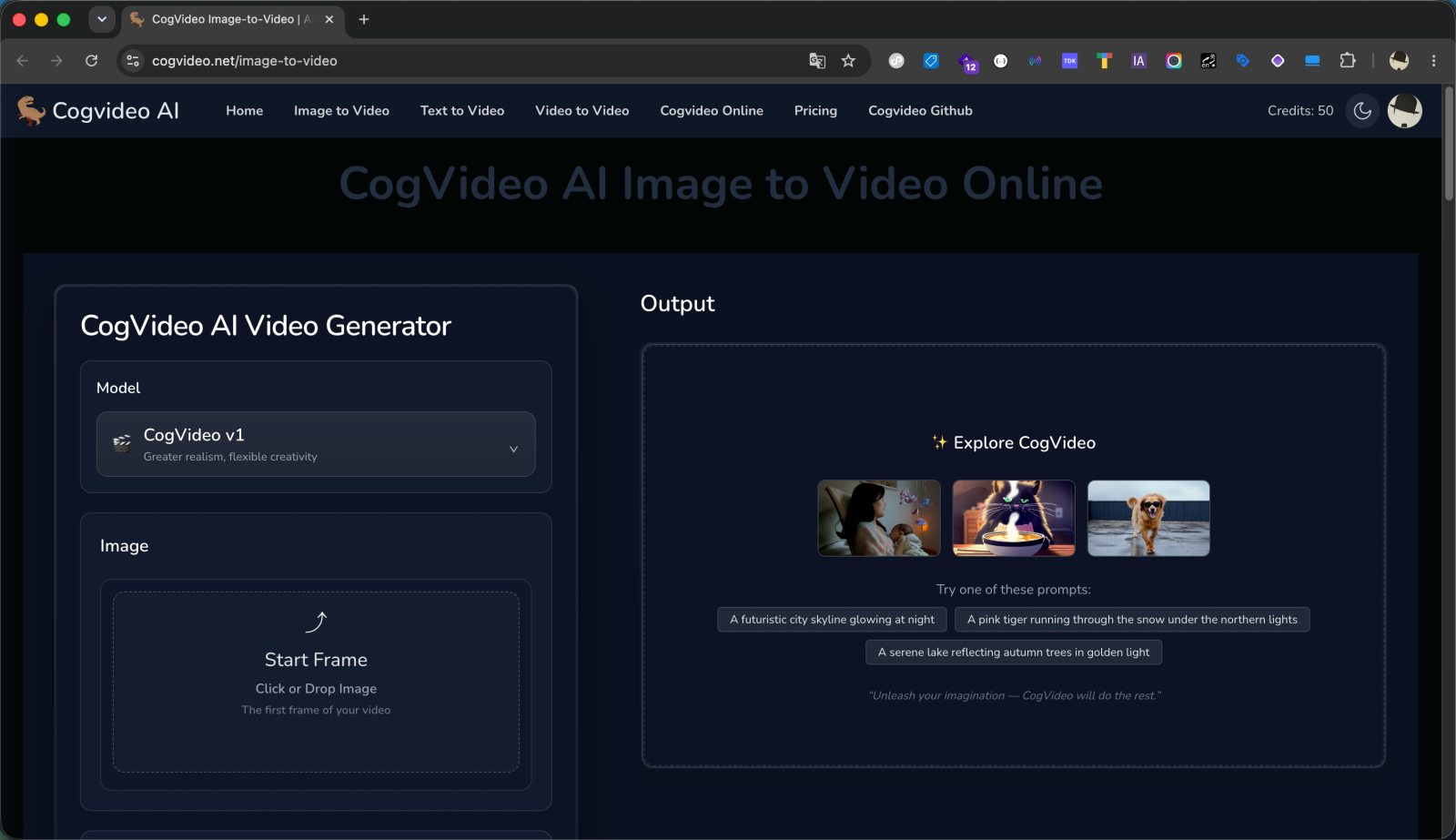
Make your first AI video free
No GPU, no install, no card. Type a prompt or upload an image and generate your first clip right in the browser, then decide if flat, no-subscription pricing is your thing.
Try CogVideo free