




Sora vs Veo 3 vs CogVideo: Best AI Video Generator (2026)
Sora is retiring, Veo 3 is the pricey heir with native audio, and CogVideo is the free, no-GPU way in that can also run Veo 3.1 by the credit. Here is the honest, tool-by-tool breakdown.
 By CogVideo Editorial TeamUpdated 2026-07-20Last tested 2026-07-20
The famous one, now being retired. OpenAI shut the app down and the API sunsets in September 2026.
Best for The model that set the bar (but discontinued)
Google's model and the natural Sora successor. Native synchronized audio, up to 4K, reached through the Gemini app, Flow, and the API.
Best for Native audio and the most finished clip
Us. Free to start, no GPU, open-source CogVideoX in the browser, plus hosted Veo 3.1 and a pay-once option.
Best for Starting free with no GPU or install
Visit CogVideoIf you searched "Sora vs Veo 3" or "Sora 2 vs Veo 3," here is the twist that changes the answer: OpenAI is discontinuing Sora. The consumer app and sora.com were shut down on April 26, 2026, and the API is scheduled to stop on September 24, 2026. So the matchup people really mean is "Sora is leaving, is Veo 3 the thing I move to," and the honest answer is mostly yes for the finished-clip crowd, with one catch about the price.
So we lined up three tools: Sora (the model that set the bar and is now leaving), Veo 3 (Google's successor, currently Veo 3.1, with native audio), and CogVideo (us). We checked every spec and price against the official pages on 2026-07-20, and where Google renders consumer prices in local currency we say the USD figure is approximate instead of inventing one. Quick heads-up: Sora, OpenAI, Google, and Veo are trademarks of their owners. This is an independent comparison, not a sponsorship, and yes, one of the three is ours.
| Latest model | Sora 2 / Sora 2 Pro (retiring) | Veo 3.1 (1080p and 4K) | CogVideoX-based v1 + hosted Veo 3.1 |
|---|---|---|---|
| Native audio | Yes on Sora 2 (but discontinued) | Yes, synchronized dialogue and SFX | No on the base model; yes via hosted Veo 3.1 |
| Max length | Up to 20s native, 120s extended | 8s native, scene-extend to ~2.5 min | About 6 to 8s |
| Pricing | Consumer plans withdrawn | Google AI plans (~$20 Pro, Ultra from ~$100) | Free; $9.90 to $49.90/mo; Pay Once $29.90 to $149.90 |
| Free tier | None (app discontinued) | Limited Veo 3.1 trial on the Pro plan | Free to start, no card, no GPU |
| Access | App and API (shutting down) | Gemini app, Flow, and API (cloud) | Browser, no GPU or install |
By the numbers
Sora's consumer plans went away when OpenAI shut the app down. Veo's roughly $20/mo is the Google AI Pro tier, which includes only a limited Veo 3.1 trial; full Veo 3.1 access needs the Ultra tier (reported from about $100/mo). CogVideo starts free with no card, sells one-time Pay Once packs from $29.90, and lets you run Veo 3.1 by the credit instead of buying a top-tier plan.
Want to make your own? Try Image to Video, Text to Video, CogVideo Online (free, no GPU) or What is CogVideoX.
Availability: can you actually use it today?
Best here: CogVideoStart here, because it decides everything else. Sora is being discontinued: OpenAI announced it on March 24, 2026, shut down the Sora app and sora.com on April 26, 2026, and set the API to stop on September 24, 2026. So if you are reading a comparison that says "sign up for Sora," it is out of date, and that is the whole reason "Sora alternative" and "Veo 3 alternative" are suddenly busy searches.
Veo 3 and CogVideo are both live and taking new users, so this is really about the on-ramp. Veo 3.1 is live, but the affordable Google AI Pro tier only includes a limited Veo 3.1 trial, and full access sits on the pricier Ultra plan, so "available" comes with a paywall for the good stuff. CogVideo (us) is built to remove the friction: it runs the open source CogVideoX model on our servers, so there is nothing to install and no GPU required, you can generate your first clips free without a card, and if you specifically want Veo 3.1, we host it so you can run it here by the credit. That free, no-setup on-ramp is why we take this round. It is an access claim, not a quality claim.
One honest caveat about us: "free to start" is a trial, not an unlimited free-forever plan, and the browser convenience means you are on our servers rather than running the weights yourself. If you want to run CogVideoX locally instead, it is open source and you can, though that needs an NVIDIA GPU.
Sora
Strengths
- Was the most recognizable AI video product, with an app and an API
Watch-outs
- The consumer app and sora.com were shut down on April 26, 2026
- The API is scheduled to stop on September 24, 2026, so it is not something to build on
Veo 3
Strengths
- Live and actively developed by Google, reachable through the Gemini app, Flow, and the API
Watch-outs
- The affordable Pro plan includes only a limited Veo 3.1 trial; full access needs the pricier Ultra tier
CogVideo
Strengths
- Runs the open source CogVideoX model in your browser, no GPU and no install
- Free to start with no credit card
- Hosts Veo 3.1, so you can run Google's model here by the credit
Watch-outs
- The free tier is a trial, not an unlimited free plan
- Browser generation runs on our servers, so it is not fully self-hosted unless you run the open model yourself
Video quality and resolution
Best here: Veo 3Let us be honest up front: nobody here publishes independent, apples-to-apples quality benchmarks, so every "best quality" claim (ours included) is marketing until you test it on your own prompt. What you can compare is what each ships. Sora set the bar with Sora 2 and Sora 2 Pro, which added more physical realism and synchronized sound, and it is genuinely why people got excited about AI video. The catch, again, is that it is being retired.
Among tools you can actually keep using, Veo 3 is the quality leader. Veo 3.1 outputs at up to 1080p and 4K and is Google's flagship, tuned for prompt accuracy and clean, finished-looking frames, which is the closest like-for-like to what Sora 2 was reaching for. On sheer resolution and overall polish it leads this group, so it takes the quality round.
Where do we land? Honestly, in third on the base model. Our CogVideo v1 is built on the open source CogVideoX model, which is impressive for something open and free to run, but it does not match the top proprietary models on raw fidelity. We close some of that gap in a specific way: because we host Veo 3.1 (the Fast tier, at 1080p) on the same platform, you can generate with Google's model here too when a clip needs it, and pay by the credit rather than by the month. But if pure fidelity from the base model is your only axis, Veo is ahead of us, and we are not going to pretend otherwise.
Sora
Strengths
- Sora 2 raised the bar with stronger realism and synchronized audio
- The reference point most other tools get compared against
Watch-outs
- Being discontinued, so any quality lead is moot for new work
Veo 3
Strengths
- Outputs at up to 1080p and 4K, the highest resolution in this group
- Tuned for prompt accuracy and clean, finished frames
Watch-outs
- Quality claims are Google's own marketing, not an independent benchmark
CogVideo
Strengths
- Base CogVideo v1 runs the open source CogVideoX model, strong for something free to run
- Hosts Veo 3.1 Fast (1080p) on the same platform, so you can reach for Google's model by the credit
Watch-outs
- Our base open model trails the top proprietary models on raw fidelity
- We do not publish independent quality benchmarks either
Native audio and sound
Best here: Veo 3This is the feature that made Sora 2 feel like magic, and it is now Veo 3's clearest win. Veo 3.1 generates synchronized audio together with the video in a single step: dialogue, sound effects, and ambient noise that actually match what is on screen. For a shareable clip that needs to feel finished, that is a big deal, because you skip a whole separate audio pass. If "AI video with sound" is what you searched for, Veo is the answer.
Sora 2 had synchronized sound too, and it was part of the hype, but it is going away, so the live crown is Veo's. Our base CogVideo v1, being built on the open CogVideoX model, does not generate native audio at all, so on the base model you would add sound yourself afterward. The upside for us is specific: when you run Veo 3.1 through our platform you get its audio, so you can have the native-sound feature here without a Google plan. But that is Veo's feature, not ours, and we will credit it honestly: on sound, Veo is ahead.
Sora
Strengths
- Sora 2 generated synchronized sound, part of what made it exciting
Watch-outs
- Discontinued, so its audio is no longer available to new users
Veo 3
Strengths
- Generates synchronized dialogue, sound effects, and ambience with the video in one step
- Removes a separate audio-editing pass for finished clips
Watch-outs
- You depend on Google access (a paid plan or the API) to use it at full quality
CogVideo
Strengths
- You can run Veo 3.1 here to get native audio when a clip needs it
Watch-outs
- Our base CogVideoX model does not generate native audio, so on the base model you add sound yourself
Clip length and duration
Best here: Veo 3Need more than a few seconds? Sora was generous here: it could generate up to 20 seconds natively and extend to about 120 seconds total, at up to 1080p on Sora 2 Pro. That ceiling is leaving with the product, though. Among tools you can still use, Veo 3.1 generates 8 second clips natively and can lengthen them with scene extension to roughly two and a half minutes, which is plenty for most social and ad use and comes with the audio and resolution advantages already covered. So Veo takes this round.
Our clips are the shortest: the base CogVideo v1 makes roughly six-second videos, and the hosted Veo 3.1 on our platform runs to its usual eight seconds. That is fine for a social loop, a product teaser, or a quick idea, but if you are scoring something long, Veo gives you far more runway on a live product, and we will happily say so.
Sora
Strengths
- Up to 20 seconds native and about 120 seconds extended, at up to 1080p on Pro
Watch-outs
- Discontinued, so that length ceiling is no longer available to new users
Veo 3
Strengths
- 8 second native clips, extendable to roughly two and a half minutes with scene extension
- Length comes with audio and up to 4K
Watch-outs
- Longer sequences are built by extending scenes, not a single long native generation
CogVideo
Strengths
- Reliable short clips, roughly six to eight seconds, fine for social and teasers
Watch-outs
- Clips are short compared with Veo, and much shorter than Sora's old ceiling
- For longer videos you would run Veo 3.1 here or pick another tool
Pricing and free plans
Best here: CogVideoThis is where a lot of "free AI video generator" searches actually start, so let us be blunt, and clear about which numbers are firm. Sora's consumer pricing is gone with the app, so there is no live number to quote. Veo 3.1 is reached through Google's AI plans: the Pro tier (reported around $20 a month) includes only a limited Veo 3.1 trial, and full access needs the Ultra tier (reported from about $100 a month). Google's consumer prices render in local currency on the official page, so treat those USD figures as approximate.
Our pricing is built to be the low-friction option. You start free with no card, then subscriptions run $9.90, $24.90, and $49.90 a month (about 30 percent off on annual), and credits are consumed per generation, with the lighter models costing only a handful of credits each. The thing neither competitor does: Pay Once. If subscriptions make your eye twitch, you can buy a one-time credit pack ($29.90, $69.90, or $149.90) that stays valid for a year. And here is the practical kicker: because we host Veo 3.1, you can generate with Google's model here from about 1000 credits a clip (the exact cost is quoted per generation) instead of committing to a $100-plus Ultra plan.
So on "cheapest to start and least commitment," we win: free to start, the lowest subscription here, a pay-once option, and metered access to Veo 3.1. Fair counterpoint, and we will say it ourselves: if you want the absolute best of Veo at scale, Google's own top plan gives you more Veo headroom than buying credits a clip at a time, and if you want unlimited heavy use for free, none of these gives you that.
Sora
Strengths
- Historically bundled AI video into a familiar product
Watch-outs
- No current consumer pricing, since the app has been shut down
Veo 3
Strengths
- Bundled into Google AI plans you may already pay for
Watch-outs
- The affordable Pro plan includes only a limited Veo 3.1 trial; full access needs the pricier Ultra tier
- Exact consumer plan prices render in local currency, so USD figures are approximate
CogVideo
Strengths
- Free to start with no credit card
- The lowest subscription here ($9.90/mo), about 30 percent off annually
- Pay Once packs ($29.90 to $149.90) if you never want a subscription
- Run Veo 3.1 by the credit here (from about 1000 credits) instead of buying a $100-plus Ultra plan
Watch-outs
- Our free tier is a trial, so it will not carry heavy ongoing use for free
- For heavy Veo use at scale, Google's own top plan offers more Veo headroom than metered credits
Free access, no GPU, and open source
Best here: CogVideoHere is the round we are actually built to win, and it is an access claim, not a quality claim. Sora was a closed, cloud-only app (and it is now closing), and Veo is a closed, cloud-only product reached through Google's apps and API. Both are perfectly valid choices, they just mean there is no "take the model and run it yourself" option, and getting the best of Veo can mean Google's top plan.
CogVideo removes the friction on purpose. It runs the open source CogVideoX model (developed by THUDM / Zhipu AI, repository at github.com/zai-org/CogVideo) on our servers, so there is nothing to install and no GPU required, and you can generate your first clips free without a card, right in the browser. And because CogVideoX is open source, you are not locked in: if you do have an NVIDIA GPU, you can download the weights and run them locally, no subscription involved. With the standard memory optimizations, CogVideoX-2B runs from about 4 GB of VRAM and CogVideoX-5B from about 5 GB (more if you run the full-precision weights).
The honest caveats: "free to start" is a trial, the browser convenience means generation runs on our servers unless you self-host, and one precision point people ask about: the CogVideoX code and the 2B model are Apache 2.0, while the larger 5B weights carry their own CogVideoX license, so read those terms if you plan to redistribute. Even with those caveats, on "free, no GPU, and an open model you could self-host," neither Sora nor Veo competes, so this round is ours.
Sora
Strengths
- Was a cloud product, so it needed no local GPU
Watch-outs
- Closed and cloud-only, and now shutting down, so there is nothing to self-host
Veo 3
Strengths
- Cloud-based, so no local GPU is needed to use it
Watch-outs
- Closed and cloud-only, no open model to download or self-host
- The best access is gated behind Google's pricier plan
CogVideo
Strengths
- Runs the open source CogVideoX model in your browser, no GPU and no install
- Free to start with no credit card
- You can also run CogVideoX locally yourself, since it is open source
Watch-outs
- The free tier is a trial, not an unlimited free plan
- Browser generation runs on our servers unless you self-host the open model
- The 5B weights carry their own license, not Apache, so redistribution terms differ
Moving off Sora: is Veo 3 the right landing spot?
A lot of people are here for one reason: Sora is going away and Veo 3 looks like the obvious replacement. If you had a Sora habit, the first practical step is to export anything you still want before access ends on the shutdown dates. Then it comes down to what you valued about Sora.
If it was the synchronized-audio, one-click-finished-clip feeling, Veo 3 is the closest like-for-like, because native audio and clean, high-resolution output are exactly its thing. The honest snag is cost: full Veo 3.1 lives on Google's Ultra plan, reported from about $100 a month, which is a lot if you just want to make the occasional clip. That is the gap we fill: CogVideo hosts Veo 3.1, so you can run Google's model here by the credit (from about 1000 credits a clip) and skip the subscription, or start completely free on the open source CogVideoX model and only reach for Veo when a specific clip needs the polish. If you are also weighing Kling for motion, we compare Veo 3 and Kling head to head in a separate article on this blog.
The open source angle (and running it yourself)
One thing that sets CogVideo apart from both Sora and Veo: the model underneath, CogVideoX, is open source (developed by THUDM / Zhipu AI, repository at github.com/zai-org/CogVideo). That matters in two ways. First, you are not fully locked in: if you have an NVIDIA GPU, you can download the CogVideoX weights and run them locally, no subscription involved. With the standard memory optimizations, CogVideoX-2B runs from about 4 GB of VRAM and CogVideoX-5B from about 5 GB, so even a mid-range card can do it.
Second, if you do not have a GPU (most people), you can use the exact same model online here, on our servers. Sora and Veo are both closed, cloud-only products, which is a valid choice, it just means there is no take-the-model-and-go option. A precision note so we do not oversell it: the CogVideoX code and the 2B model are Apache 2.0, while the 5B weights ship under their own CogVideoX license, so read those terms if you plan to redistribute. If open source and the freedom to self-host matter to you, that is a genuine, checkable difference, and it is ours.
Which should you pick?
You want a finished clip with matching sound
Veo 3 Veo 3.1 generates synchronized audio with the video in one step.
You need the highest resolution, up to 4K
Veo 3 Veo 3.1 outputs up to 4K, the sharpest here.
You just want to make a clip for free with no setup
CogVideo CogVideo runs in your browser, free to start, no GPU or install.
You want Veo 3.1 without a $100 Ultra plan
CogVideo CogVideo hosts Veo 3.1 and meters it by the credit.
You want an open source model you can also self-host
CogVideo it runs the open source CogVideoX, which you can download and run locally.
You are allergic to subscriptions and want to pay once
CogVideo Pay Once packs are a one-time purchase, valid for a year.
How we tested
How we did this: we read the official model, pricing, and product pages ourselves and checked every figure here against the primary source on 2026-07-20. Every external URL in the sources below was HEAD-checked with a browser user agent and returned 200. We did not run lab-style quality benchmarks, because nobody can do that fairly across tools that update this often, so we tell you what each company ships and how it markets it rather than inventing a score.
Where a company hides its numbers or takes a product down, we flag it instead of guessing. Sora's consumer pricing and current terms are gone with the app, so we say so. Google's consumer plan prices render in local currency on the official page, so the USD figures for the Pro and Ultra tiers are approximate. The one firm figure on our side is our own: running Veo 3.1 on CogVideo starts from about 1000 credits a clip, quoted per generation. And yes, CogVideo is ours, which is exactly why we gave ourselves real cons in every round and handed Veo the quality, audio, and clip-length wins it genuinely earns.
The bottom line
If we are being straight with you: Sora is off the table for new work, so this is really Veo 3 versus CogVideo, and they solve different problems. Reach for Veo 3 when a finished clip, native audio, and up to 4K matter most, and you are fine paying Google's Ultra plan for full access. Come to CogVideo when you want to start free with no GPU, run an open source model (or self-host it), keep pricing flat, pay once instead of subscribing, or run Veo 3.1 by the credit instead of buying a top-tier plan, and you are okay with shorter clips from the base model.
The good news is you can test the free route in an afternoon, and you can try Veo 3.1 here without a big commitment. Start with whichever fits your situation above, and switch if it does not click. AI video is supposed to be fun, so do not overthink the tool.
FAQ
Is Sora or Veo 3 better?
Among tools you can actually use, Veo 3 wins, because Sora is being discontinued. Veo 3 (currently Veo 3.1) generates native, synchronized audio at up to 4K, which is the finished-clip strength Sora 2 was known for. Sora set the bar first, but its app closed in April 2026 and its API ends in September 2026, so it is not something to build on.
Is Sora shutting down?
Yes. OpenAI announced on March 24, 2026 that it is discontinuing Sora. The Sora app and sora.com were shut down on April 26, 2026, and the API is scheduled to stop on September 24, 2026. That is why "Sora alternative" and "Veo 3 vs Sora" are now common searches.
What is a cheaper alternative to Veo 3?
Full Veo 3.1 access sits on Google's Ultra plan, reported from about $100 a month. If that is too much, CogVideo hosts Veo 3.1 and meters it by the credit (from about 1000 credits a clip), so you can run Google's model without the subscription, or start free on the open source CogVideoX model and only reach for Veo when a clip needs it.
Does Veo 3 have sound?
Yes. Veo 3 (Veo 3.1) is the standout for audio: it generates synchronized dialogue, sound effects, and ambience together with the video in one step. That is its clearest advantage over most other generators, and it is the feature the discontinued Sora 2 was also known for.
Can I run Veo 3 without a Google subscription?
Sort of. Google gates full Veo 3.1 behind its paid plans, but CogVideo hosts Veo 3.1 on its platform and charges by the credit per generation, so you can run Veo 3.1 clips here without buying Google's Ultra plan. You can also generate for free on CogVideo's open source CogVideoX model when you do not need Veo specifically.
How long can these videos be?
Sora could make up to 20 seconds natively and about 120 seconds extended, but it is shutting down. Veo 3.1 makes 8 second clips natively and scene-extends to roughly two and a half minutes. CogVideo's base model makes short clips, roughly six to eight seconds, which suits social loops and teasers.
Is CogVideo really open source and free to start?
The model underneath, CogVideoX (2B, 5B and 5B-I2V), is open source and developed by THUDM / Zhipu AI. The code and the 2B model are Apache 2.0, while the 5B weights carry their own CogVideoX license. You can run it locally on an NVIDIA GPU, or use the same model online here free to start with no card and no GPU.
Sources
- OpenAI Sora video generation API guide (models, resolution, length, Sept 2026 shutdown) (accessed 2026-07-20)
- Wikipedia: Sora (text-to-video model), versions and discontinuation dates (accessed 2026-07-20)
- Google DeepMind Veo model page (Veo 3.1 resolution, native audio, 8s clips, image-to-video) (accessed 2026-07-20)
- Google AI plans (Pro and Ultra tiers, Veo 3.1 access and Flow credits) (accessed 2026-07-20)
- Google blog: Google AI subscriptions (Ultra tier and pricing) (accessed 2026-07-20)
- CogVideo official repository (THUDM / Zhipu AI, open source, licenses) (accessed 2026-07-20)
- CogVideo Online (free, no GPU, open source CogVideoX in the browser) (accessed 2026-07-20)
- CogVideo System Requirements (CogVideoX VRAM, local vs online) (accessed 2026-07-20)
- CogVideo pricing (plans, credits, Pay Once, commercial license) (accessed 2026-07-20)
Related
CogVideo Editorial Team
AI Video, CogVideo
The CogVideo team tests AI video generators hands-on. For this comparison we set up each tool, read the official pricing and terms pages, and checked every figure against the source on the tested-on date.
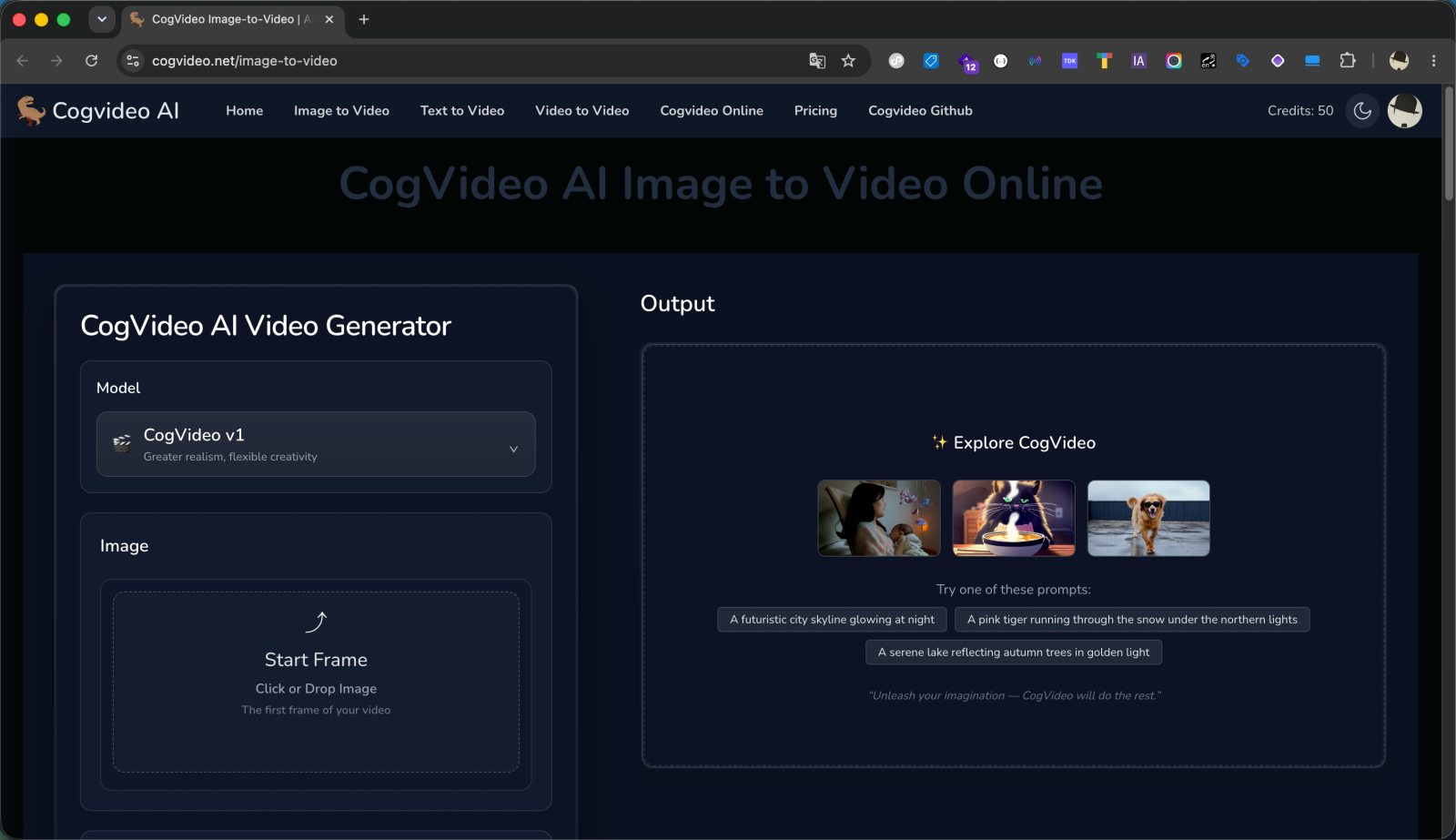
Make your first AI video free
No GPU, no install, no card. Type a prompt or upload an image and generate right in the browser, run the open source CogVideoX model or hosted Veo 3.1, and decide if flat, no-subscription pricing is your thing.
Try CogVideo free