 Cog
Cog



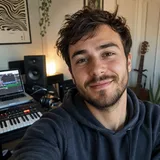
Photo to Video AI
Turn a photo into a video
Upload a photo and let AI animate it into a short video. Free to start, with no GPU and nothing to install. It runs in your browser on the open source CogVideoX, plus Veo 3.1 Fast when a photo needs higher quality motion.
Free to start. No GPU required. Powered by the open source CogVideoX.
How it works
How to Turn a Photo into a Video in Three Steps
From a single still to a short clip, entirely in the browser. No GPU, no install.
Upload your photo
Open the image to video tool and drop in the photo you want to animate. A clear, well-lit still with one obvious subject gives the AI the most to work with.
Describe the motion, pick a model
Add a short prompt for the motion you want, like a slow zoom or a gentle breeze, then choose CogVideo to start free or Veo 3.1 Fast for higher quality. Leaving the prompt empty still animates the photo.
Generate and download
The model animates your photo on our servers in a minute or two. Preview the result, then download a standard MP4 you can post or edit. Nothing is left running on your machine.
Why animate a photo here
Why Turn a Photo into Video on CogVideo
The photo you upload stays the star. The AI adds the motion, and you keep a clean MP4.
Your photo stays recognizable
The model adds motion while holding on to your subject, framing and likeness, so the clip still reads as your photo rather than a new, unrelated scene.
No GPU, no install
Animating a photo normally needs an NVIDIA GPU with about 5 GB of VRAM and a local setup. Here it runs on our servers, so any laptop or phone with a browser works.
Free to start
Animate your first photos for free, with no credit card. After the free credits, generations start from 100 credits on CogVideo v1.
A clip in a minute or two
A still becomes a short MP4 in a minute or two, ready to download and post. No render queue to babysit and no export settings to learn.
Free draft or higher quality
Start free on CogVideo for a quick 6-second, 720p clip, or step up to Veo 3.1 Fast, from 1000 credits, when a photo needs up to 8 seconds at 1080p with sound.
Built on open source CogVideoX
Photo animation here runs on CogVideoX, the open text to video model from THUDM, alongside hosted models like Veo 3.1 Fast. Real technology, no black box.
From a still to motion
Photos Brought to Life as Video
Each clip below started as a single still image, then was animated into video on CogVideo.
What to animate
Photos Worth Turning into Video
Some stills gain the most from a little motion. These are the photos people animate most.
Portraits and selfies
Give a portrait or selfie a subtle blink, breath, or head turn, so a flat headshot becomes a short, natural clip for a profile or a social post.
Product photos
Turn a plain product shot into a slow rotation or push-in that makes a listing, ad, or landing page feel far more alive than a static image.
Brand and campaign shots
Bring a single campaign photo to life as motion for a promo or story, without booking a reshoot or a full video crew.
Travel and scenery
Animate a landscape or travel photo into a moving establishing shot, with drifting clouds or water, for a reel or a title card.
Old family photos
Add gentle, respectful motion to an old family photo to relive a moment, then keep the result as a short clip to share.
Real estate listings
Turn a property photo into a slow, cinematic pan or push-in that helps a listing stand out in a feed of flat images.
FAQ
Photo to Video: Common Questions
Open the image to video tool, upload your photo, and optionally add a short prompt describing the motion you want. Press generate and the AI animates the still into a short video you can download as an MP4. There is no GPU or install needed, and you can start for free.
You can animate your first photos for free, with no credit card. Beyond the free credits, generations are priced per model, starting from 100 credits on CogVideo v1 and 1000 credits on Veo 3.1 Fast. The exact cost depends on the model you choose.
Yes. The model adds motion while keeping your subject, composition, and likeness, so the clip stays recognizably your photo rather than a different scene. A clear photo with one main subject holds up best.
Clear, well-lit stills with a single obvious subject animate most reliably. Portraits, product shots, pets, and simple landscapes tend to work well. Very cluttered or blurry photos give the model less to hold on to.
No. Doing this locally would need an NVIDIA GPU with about 5 GB of VRAM plus a Python setup. On cogvideo.net the model runs on our servers, so any computer or phone with a browser works. Nothing to download or configure.
The output is a short clip: CogVideo produces about 6 seconds at 720p, and Veo 3.1 Fast produces up to 8 seconds at 1080p with sound. Each clip usually renders in a minute or two.
Right now you can animate a photo with CogVideo v1, the CogVideoX-based generator, and with Veo 3.1 Fast for higher quality. More models, such as Seedance and Kling, are being added and will appear as they go live.
Turn Your Photo into a Video Now
Upload a photo and let AI animate it into a short video. Free to start, no GPU, no install.