 Cog
Cog




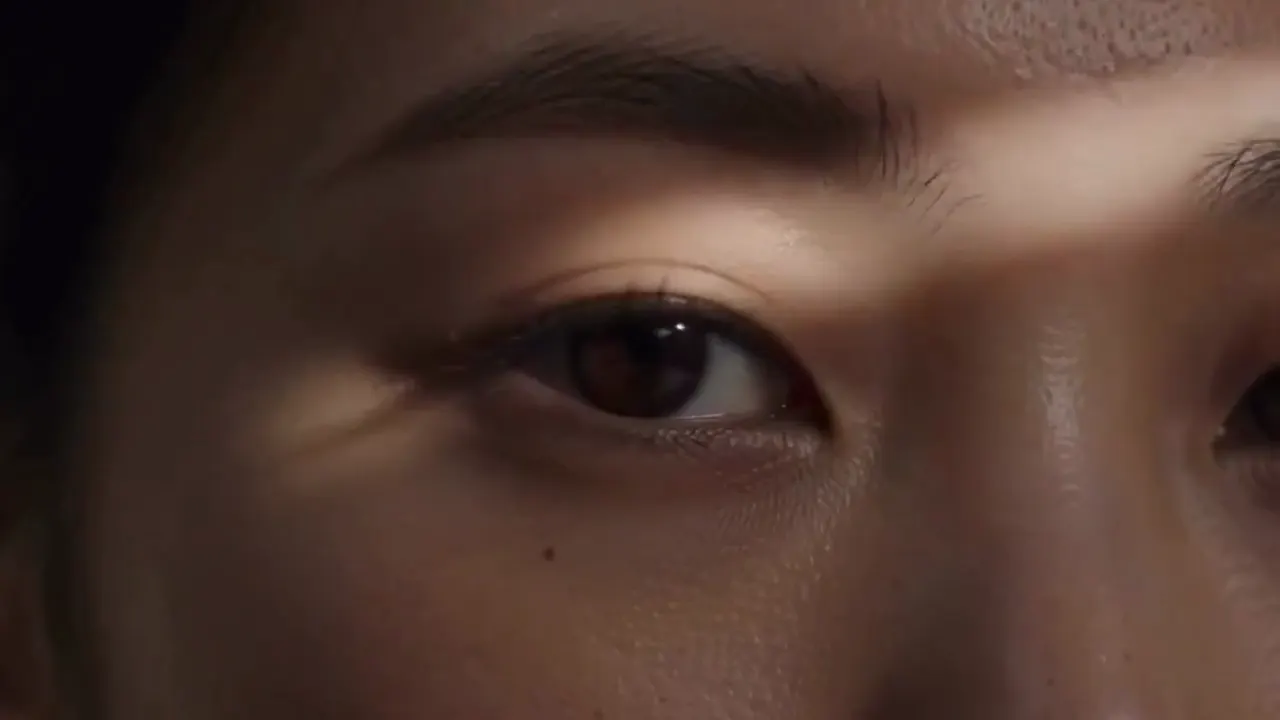
CogVideo in action
See What the CogVideo AI Video Generator Creates
Real generations from text and images, not cherry-picked studio footage.










One tool, three ways in
Everything the CogVideo AI Video Generator Can Do
Text to video, image to video, and video to video, all in your browser.
Text to Video
CogVideo Text to Video: Turn a Prompt into a Clip
Write a sentence describing the scene you want and the CogVideoX text-to-video model renders it into a short, moving clip. There is no camera to set up, no timeline to edit, and no GPU to buy. You go from an idea in your head to a finished video without leaving the browser tab.
- Type a prompt, get a video back in minutes
- Built-in prompt help turns a rough idea into a clear shot
- Runs on any laptop, since the rendering happens on our servers
Image to Video
CogVideo Image to Video: Animate Any Still
Upload a single photo and CogVideo adds natural, believable motion while keeping your subject, colors, and framing intact. A flat product shot starts to turn, a portrait begins to breathe, a landscape comes alive with drifting light. It is the fastest way to get a moving shot when all you have is one still image.
- Turn one photo into a moving shot
- Great for product photos, portraits, and hero images
- Keeps your original look, colors, and composition
Video to Video
CogVideo Video to Video: Restyle Footage You Have
Feed in a clip you already have and restyle or transform it with a written prompt. Shift the mood, swap the setting, or push the look toward a new style without touching a single keyframe. There is no timeline, no rotoscoping, and no editing software to learn.
- Restyle existing footage with a prompt
- Change the look, mood, or setting in one pass
- No timeline, keyframes, or editing software required
How it works
How to Make a Video with CogVideo in 3 Steps
No install, no setup, no editing timeline. Text to video and image to video both follow the same three steps in your browser.
Describe it
Type a prompt that describes the scene you want, or drop in an image or a clip to start from. If you get stuck, the built-in prompt help suggests wording that produces a cleaner shot.
Generate
Press generate and CogVideo runs the CogVideoX model on our servers, turning your input into video in a few minutes. There are no render settings to tune and no GPU to configure on your end.
Download and share
Preview the result, then download your clip as a standard video file. Post it straight to social, drop it into an edit, or generate another take with a tweaked prompt.
Who it is for
Who Uses the CogVideo AI Video Generator
Social creators
Keep Reels, Shorts, and TikTok fed with fresh clips every week, without filming, hiring, or learning an editor. Turn a caption idea into a post-ready video the same afternoon.
Marketers
Produce ad variations, campaign teasers, and hook tests in an afternoon instead of a week. Try five directions for the cost and time of one shoot, then scale the winner.
Online sellers
Turn a flat product photo into scroll-stopping motion for your listings, ads, and store pages. Movement earns attention that a static image cannot, with no studio or model booking.
Educators
Illustrate an abstract concept or a historical scene with a short animated clip that holds attention better than a slide. No production crew, no stock-footage license, no editing suite.
Founders
Prototype a promo, product teaser, or pitch-deck demo before you commit real budget to an agency. Show investors and early users a moving vision instead of a mockup.
Filmmakers
Previsualize scenes, storyboards, and mood films before you book a crew or a shoot day. Test how a concept moves, then carry the look that works into full production.
The model family
Every CogVideoX Model Behind CogVideo, One Place
CogVideo runs on the open CogVideoX model line from THUDM. Here is what each release does, offered here as a hosted service so you can use them with no install and no GPU.
CogVideoX-5B
Highest qualityThe higher-quality open text-to-video model in the line, tuned for the best detail and the most coherent motion. Reach for it when the final look matters more than raw speed.
CogVideoX-2B
LightestThe smallest and most efficient open model, built to run on modest hardware. It is the go-to when you want faster, lighter generations or plan to self-host on a smaller GPU.
See requirementsCogVideoX-5B-I2V
Image to videoThe image-to-video variant that takes a single still and animates it, keeping your subject and composition while adding natural motion. This is the model powering CogVideo image to video.
Try image to videoCogVideoX 1.5
NewestThe newer release in the family, built for higher resolution and longer clips than the earlier CogVideoX models. A good default when you want more room and more frames.
CogStudio
Community appThe community app for running CogVideoX yourself, popular for CogStudio image to video workflows. On cogvideo.net you get the same model line fully hosted, with no setup and no local GPU.
CogVideo
The originalThe original open research model from THUDM that the whole CogVideoX line grew out of. It is the source project behind everything above and the reason this is open, inspectable technology.
Curious about VRAM, GPUs, and system requirements for running these models yourself? See the full VRAM and GPU guide
Pricing
CogVideo Pricing: Start Free, Upgrade When You Need To
Generate for free to start, then choose a monthly plan or pay once for a credit pack. Every paid option is billed transparently and you can cancel anytime.
Starter
Essential tools for AI video generation with standard quality and reliable performance.
- 18,000 credits (total)
- Up to 60 CogVideo v3 videos
- Or up to 90 CogVideo v2 videos
- Or up to 180 CogVideo v1 videos
- Valid for 12 months
- Normal generation speed
- Standard video quality
- All models access
- Private generation
- Prompt optimization tools
- Unlimited downloads
- Commercial license
Pro
Enhanced AI video creation with improved quality, faster generation, and smarter optimization.
- 45,000 credits (total)
- Up to 150 CogVideo v3 videos
- Or up to 225 CogVideo v2 videos
- Or up to 450 CogVideo v1 videos
- Valid for 12 months
- Faster generation speed
- Improved video quality
- All models access
- Private generation
- Prompt optimization tools
- Unlimited downloads
- Commercial license
Studio
Complete AI video suite delivering top-tier quality and the fastest processing speed.
- 90,000 credits (total)
- Up to 300 CogVideo v3 videos
- Or up to 450 CogVideo v2 videos
- Or up to 900 CogVideo v1 videos
- Valid for 12 months
- Fastest generation speed
- Top-tier video quality
- All models access
- Private generation
- Prompt optimization tools
- Unlimited downloads
- Commercial license
5,000+ videos created · thousands of 5-star reviews
Compare plans in detail
What creators say
What Creators Say About CogVideo
CogVideo AI revolutionized the way I create videos. From text to video, the transformation is seamless and the results are stunningly accurate. It’s like having a personal video studio at your fingertips!
 James Max
As a content creator, I’ve tried many video generation tools, but CogVideo stands out. The ‘Image to Video’ feature is fantastic. I simply upload my images, and it brings them to life with breathtaking detail. Highly recommended!
 Alice Woods
CogVideo’s ‘Video to Video’ feature allows me to enhance and modify my existing footage with ease. I can add new scenes, adjust visuals, and make seamless changes, all powered by AI. It’s like having a video editor in the cloud!
 ✨Carlos N.✨
The integration with ComfyUI is a game-changer. It’s incredibly easy to work with, and the process of generating videos based on text prompts is quick and efficient. Perfect for anyone looking to create engaging content effortlessly!
 Jade D.
I was amazed by how fast CogVideo AI generated videos from my descriptions. The quality of the videos is top-notch, and the AI’s ability to match the visuals to my text is unmatched. I’ll be using this tool for all my projects.
 Rick C.
CogVideo's ‘Image to Video’ feature is nothing short of magic. I uploaded a simple image, and it turned into a full-fledged video with smooth animations and a coherent storyline. This is the future of video production!
 Samira G.
As someone who works in digital marketing, CogVideo AI’s ability to generate videos directly from text is incredibly useful. I can create quick promotional videos without the hassle of filming or editing. It’s a huge time-saver!
 Tom S.
CogVideo AI has opened up new possibilities for my creative projects. The ‘Video to Video’ feature allows me to enhance videos by simply providing a prompt. It’s incredibly intuitive and powerful, and I couldn’t be happier with the results.
 Nancy K.
I’ve been using AI video generators for a while, but none compare to CogVideo. The clarity and creativity in the generated content are incredible, and it saves me so much time on video editing. It’s a must-have for anyone in content creation!
 Max J.
Questions
CogVideo FAQ: AI Video Generator Questions
CogVideo is an AI video generator that turns text, a single image, or an existing clip into a short video, right in your browser. It runs on the open CogVideoX model line, and this site offers that technology as a hosted service so you do not have to install anything. You describe or upload what you want, and it renders the video on our servers.
CogVideoX is the family of open text-to-video and image-to-video models that CogVideo is built on, developed by the THUDM research group. It includes several releases, such as CogVideoX-2B, CogVideoX-5B, the CogVideoX-5B-I2V image-to-video model, and the newer CogVideoX 1.5. On cogvideo.net you use these models hosted, with no setup and no GPU of your own.
CogVideoX-2B is the smaller, lighter model, built to run efficiently on modest hardware and generate faster. CogVideoX-5B is the larger model, tuned for higher detail and more coherent motion when final quality matters most. On our hosted service you can simply pick the output you want without managing either model yourself.
That depends on which model you run and the resolution and length you target, with the lighter CogVideoX-2B needing far less than the larger CogVideoX-5B. We keep a dedicated guide with directional VRAM and GPU figures for each model so you can plan a self-hosted setup. If you would rather skip the hardware question entirely, generation on cogvideo.net runs on our servers. See the system requirements guide for the full breakdown.
CogStudio is a community app for running CogVideoX yourself, often used for CogStudio image to video and other local workflows. It is a way to drive the same open models on your own machine. cogvideo.net gives you that model line fully hosted instead, so there is nothing to install and no local GPU required.
Yes. You can start generating videos for free, no card required, so you can test text to video and image to video before you spend anything. When you need more volume or faster turnaround, you can choose a monthly plan or pay once for a credit pack, and cancel anytime.
No. Generation runs on our servers, so CogVideo works on any laptop, even a Chromebook, and on your phone. You only need a browser and an internet connection. If you would rather run the open model on your own machine, see the system requirements guide for the hardware you would need.
You can make short clips from a written prompt, add motion to a single still image, or restyle footage you already have. That covers social posts, ad and campaign variations, product animations, explainer visuals, and quick concept demos. Each mode uses the same simple flow: describe or upload, generate, then download.
Text to video builds a clip from a written description, so it is best when you have an idea but no footage. Image to video animates a still you already have, keeping your subject, colors, and framing while adding motion. Use text to video to invent a scene from scratch, and image to video to bring one specific picture to life.
CogVideo is built on the open CogVideoX model line, which traces back to the original open research model released by THUDM (also known from its GitHub project). The models themselves are open and inspectable. cogvideo.net is the hosted, no-setup way to use them without wrangling code, weights, or a GPU.
It gives you text to video, image to video, and video to video in one browser tab, with a free tier, no install, and no GPU. Because it is built on the open CogVideoX line, you know exactly which model family is behind your videos. For a full side by side on quality, speed, and price, see the comparison on the blog.
Start Creating with CogVideo, Free
Turn your first prompt or photo into video in minutes. Free to start, with no GPU, no install, and no editing skills required. Bring an idea, leave with a clip.